
Keeping track of who you called, when, and for how long isn’t just useful for managing your monthly bill. Jio subscribers frequently need their call history for expense reports, verifying contact records, checking usage before a recharge, or simply retrieving a number they called weeks ago but never saved. Jio makes this straightforward through several official channels, and all of them are free to use.
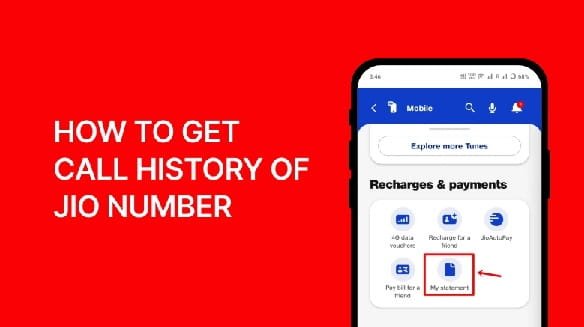
Method 1: MyJio App — The Most Complete Option
The MyJio app is the most convenient and detailed route for checking call history. Available on both Android and iOS, it displays your complete call log along with timestamps, duration, and call type.
Download and install MyJio from the Play Store or App Store if you haven’t already. Open the app and log in using your Jio mobile number — an OTP is sent for verification.
Once inside, tap the menu icon in the bottom-right corner. Look for My Usage and tap it. Three tabs appear: Data, Calls, and SMS. Tap Calls. Your complete call history loads here — incoming and outgoing calls listed with date, time, duration, and the number dialled or received.
Prepaid users can view history going back up to 30 days directly in the app. The app also allows you to download a call statement for up to 180 days — useful for record-keeping or when a longer history is needed for official purposes.
Method 2: Jio Website
If you prefer a browser-based check, visit jio.com and log in with your Jio ID and OTP. Navigate to My Account → Usage Details. The call history appears here in the same format as the app — date, time, duration, number. For postpaid users, this section also includes chargeable call details and links to itemised monthly bills.
Method 3: WhatsApp Support via JioCare
Jio offers account support through WhatsApp, which is a surprisingly efficient method for accessing your call statement. Save the JioCare WhatsApp number +91 7000770007 on your phone and send a message saying “My account statement”. JioCare responds with a link that opens your account statement directly inside the MyJio app. From there, navigate to the Statement section to view your call details. This method works well for users who find the app’s navigation unfamiliar and prefer a guided route.
Method 4: Jio Customer Care
Dial 199 from your Jio number. This connects you to Jio’s IVR customer care system. Follow the prompts to reach a customer care executive and request your call history. The executive can provide call details verbally or arrange to have a statement sent to your registered email address.
This is particularly useful when you need call records beyond the 30-day window that the app shows by default, or when you require an official statement for legal or business purposes.
What Jio Call Details Include
A standard Jio call statement shows:
- Date and time of each call
- Whether the call was incoming or outgoing
- Call duration
- The number dialled or received from
- For postpaid users — applicable charges if any
What it does not include is call recordings. Jio does not record or store the audio content of calls, and no official or unofficial method provides access to call recordings through Jio’s systems.
Postpaid Users: Itemised Monthly Bills
Postpaid Jio subscribers get a more detailed picture than prepaid users. Every monthly bill includes a full itemised call statement covering every call made during the billing period. Access this through MyJio → Bills and Statements or download the PDF bill from the Jio website under your account section. This document is legally acceptable for business expense claims and reimbursements.
5 FAQs
Q: How far back can I check my Jio call history?
A: The MyJio app shows up to 30 days by default. A downloadable statement covers up to 180 days. For anything older, contact Jio customer care at 199.
Q: Can I check call history for someone else’s Jio number?
A: No. Call history is accessible only by the registered account holder through verified login. Accessing another person’s records without consent is illegal.
Q: Is checking Jio call history free?
A: Yes. Using MyJio, the Jio website, or WhatsApp support to check call details is completely free of charge.
Q: Can I download my Jio call history as a PDF?
A: Yes. The MyJio app allows you to download a call statement as a document. Postpaid users can also download itemised bills from the Jio website.
Q: Does Jio have a USSD code to check call history?
A: No. Unlike balance checks, call history is not available via USSD codes. The MyJio app, website, or customer care are the only official routes.