
Point of Sale systems are the operational heartbeat of retail businesses, restaurants, hospitality establishments, and service providers — processing every customer transaction, managing inventory in real time, and generating the financial data that business owners depend on for informed decision-making. While Windows has historically dominated the POS software market, Linux-based POS solutions have grown significantly in adoption over the past decade — attracting businesses ranging from independent retailers and cafes to large multi-location chains with the compelling combination of open-source flexibility, exceptional system stability, robust security, and dramatically lower total cost of ownership.
Linux POS software represents a fundamentally different philosophy from proprietary Windows-based alternatives — one that prioritises long-term reliability, customisation freedom, and cost efficiency over the familiar user interfaces and pre-packaged functionality that commercial POS vendors deliver. Understanding whether this philosophy aligns with your business requirements requires a clear-eyed examination of what Linux POS genuinely offers and where its limitations create genuine operational challenges.
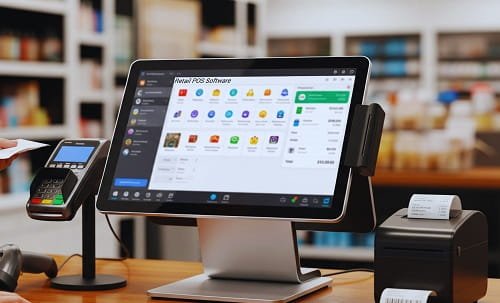
What is Linux POS Software?
Linux POS software is a Point of Sale application running on the Linux operating system — either as open-source software available free of licensing cost with community support, or as commercial-grade software built on Linux’s stable, secure foundation with vendor support arrangements. The POS software itself handles all transaction processing, inventory management, customer data, and reporting functions — while Linux provides the underlying operating system environment with its characteristic stability, security, and resource efficiency.
Popular Linux POS solutions include Open Source POS (OSPOS) — a free web-based retail management system supporting barcode scanning, inventory management, and detailed reporting; uniCenta oPOS — a commercial-grade open-source system serving retail and hospitality businesses across multiple countries; Floreant POS — originally developed for Denny’s restaurant chain and released as open source, offering strong restaurant-specific functionality; NexoPOS — a modern web-based system built on Laravel and Vue; and Chromis POS — a feature-rich fork of the uniCenta project with enhanced capabilities. Enterprise-level solutions including Odoo’s POS module provide Linux-compatible functionality within a comprehensive ERP framework.
Quick Overview— Linux POS Software
| Parameter | Details |
| Operating System Base | Linux (Ubuntu, Debian, CentOS, and derivatives) |
| Deployment Type | On-premise, cloud-hosted, or hybrid |
| Licensing Model | Open-source (free) or commercial Linux-based |
| Popular Solutions | OSPOS, uniCenta, Floreant, NexoPOS, Chromis, Odoo POS |
| Hardware Compatibility | Barcode scanners, receipt printers, cash drawers, card readers |
| Target Businesses | Retail stores, restaurants, cafes, hospitality, pharmacies |
| Security Advantage | Permission-based file structure, lower malware vulnerability |
| Annual Licensing Cost | $0 (open source) to $500–$2,000 (commercial Linux POS) |
| Cost Savings vs Windows | $2,000–$5,000 annually for small businesses |
| System Reliability | Runs for years without failure — minimal reboot requirements |
| Internet Requirement | Web-based versions require connectivity; desktop versions work offline |
| Technical Expertise Needed | Moderate to high for installation and customisation |
Key Features of Linux POS Software
- Sales Transaction Processing: Linux POS software handles all core transaction functions — product scanning through barcode or manual entry, pricing calculation with automatic tax application, discount and promotion management, and receipt generation to printer or digital delivery. Multiple payment method support covers cash, credit and debit cards, mobile wallets, and split payment arrangements across transaction types. Transaction speeds comparable to Windows-based equivalents are achieved through Linux’s efficient process management — maintaining consistent performance under high transaction volumes without the performance degradation that resource-heavy operating systems can experience during busy trading periods.
- Inventory Management and Stock Tracking: Real-time inventory tracking updates stock levels automatically with every transaction — providing immediate visibility into current stock positions without manual counting. Low stock alerts notify managers when items approach reorder thresholds, preventing the stockouts that cost sales and damage customer experience. Supplier management features track purchase orders, receive deliveries, and update inventory levels — creating a complete procurement-to-sale inventory lifecycle. Item-wise and category-wise reporting provides the granular stock analysis that buying and merchandising decisions require.
- Customer Management and Loyalty: Customer database functionality captures purchase history, contact information, and preference data — enabling personalised service, targeted promotions, and loyalty programme management. Loyalty point accumulation and redemption tracking, customer-specific pricing arrangements, and purchase history access at the point of service create the customer relationship capabilities that drive repeat business. For retail businesses where customer retention is a primary revenue driver, these CRM capabilities integrated within the POS provide significant competitive advantage over basic transaction-only systems.
- Reporting and Analytics: Comprehensive reporting covering daily sales summaries, item-wise performance analysis, employee productivity tracking, peak-hour traffic patterns, tax reports, and profit margin analysis provides management with operational intelligence that manual systems cannot generate. Custom report generation across user-defined date ranges and business dimensions enables the specific analytical requirements of different business types. Linux POS solutions including OSPOS and uniCenta provide detailed reporting modules that approach the capability of dedicated business intelligence tools — delivering actionable insights without additional software investment.
- Multi-User and Role-Based Access Control: Configurable user roles with specific permission levels — cashiers with transaction-only access, supervisors with discount authorisation, and administrators with full system access — create appropriate security boundaries that prevent unauthorised actions while enabling efficient multi-staff operations. Audit trails record all user actions — particularly sensitive operations including voids, refunds, and price overrides — providing the accountability that both fraud prevention and employee performance management require.
- Hardware Integration: Linux POS software supports the standard hardware peripherals that point-of-sale environments require — USB and serial barcode scanners, ESC/POS compatible receipt printers covering both 58mm and 80mm paper widths, cash drawer triggers through receipt printer connections, customer pole displays, weight scales for produce and deli departments, and payment terminal integrations for card processing. Linux’s hardware driver support — maintained through continuous kernel updates — provides broad compatibility across hardware generations that proprietary operating systems sometimes discontinue support for with forced upgrades.
- Open Source Customisation and API Access: The defining technical capability of open-source Linux POS software — access to the complete source code — enables businesses to implement custom features, modify workflows to match specific operational processes, integrate with proprietary business systems, and adapt the software to regulatory requirements of specific markets. This customisation freedom creates competitive differentiation through technology that proprietary software licensing prohibits — allowing businesses with specific operational needs to build POS capabilities that precisely match their requirements rather than compromising around what commercial software vendors have chosen to build.
Advantages of Linux POS Software
- Significantly Lower Total Cost of Ownership: The cost advantage of Linux POS software is its most immediately compelling differentiator — open-source solutions carry zero software licensing fees, eliminating the ₹10,000–₹50,000 annual per-terminal licensing costs that commercial Windows POS software typically imposes. Small businesses and multi-location retailers achieve savings of $2,000–$5,000 annually through licensing elimination alone — capital that can be redirected toward inventory, marketing, or staff development. The absence of forced upgrade cycles — where proprietary vendors discontinue support for older versions to drive paid upgrades — provides long-term cost predictability that Windows-based alternatives rarely deliver.
- Exceptional System Stability and Reliability: Linux’s architectural design prioritises stability above all other characteristics — the operating system is genuinely known for running for years without system failures when properly configured and maintained. POS environments demand this reliability absolutely — a crashed system during peak trading hours creates immediate revenue loss, customer frustration, and operational chaos. Linux’s separation of kernel functions, efficient memory management, and resistance to the software bloat accumulation that degrades Windows performance over time creates a POS operating environment that maintains consistent performance across the system’s operational lifetime without the periodic reinstallation or hardware replacement cycles that Windows systems typically require.
- Superior Security Architecture: Linux’s permission-based file structure prevents the majority of malware execution vectors that Windows systems face — standard user accounts cannot execute system-level code without explicit privilege elevation, creating a structural barrier against the malware and ransomware attacks that have compromised Windows-based POS systems at major retailers globally. POS systems handle sensitive payment card data, customer personal information, and business financial records — the security implications of a breach extend from financial loss to regulatory penalties and reputational damage. Linux’s security architecture, combined with the absence of the user-targeting malware ecosystem that Windows attracts, creates a significantly more secure POS operating environment.
- Hardware Flexibility and Longevity: Linux operates efficiently on older hardware that Windows versions no longer support — enabling businesses to continue productive use of existing POS terminal investments without forced hardware replacement. Businesses deploying Linux POS on legacy terminals commonly used in Indian retail environments achieve significant capital savings while maintaining full operational functionality. Linux’s efficient resource utilisation means that a terminal running Linux POS delivers comparable performance to a more powerful Windows machine running equivalent POS software — enabling cost-effective hardware procurement without performance compromise.
- No Forced Updates or Reboots: Windows POS systems frequently experience forced update installations that require system reboots at operationally inconvenient times — a source of frustration for business owners whose systems restart during trading hours. Linux systems apply updates without requiring reboots in most circumstances, and updates are never forced on schedules determined by the operating system vendor. This operational control ensures POS availability during business hours without the update-related disruptions that Windows systems create.
- Extensive Customisation Capability: For businesses with specific workflow requirements — specialised industry compliance needs, proprietary loyalty system integration, custom receipt designs, or unique pricing logic — Linux POS software’s open-source architecture enables precise customisation that proprietary alternatives charge premium fees for or simply do not offer. This customisation capability delivers competitive advantage through technology differentiation that sustains long-term operational efficiency improvements beyond what standard software configurations provide.
Disadvantages of Linux POS Software
- Steeper Technical Learning Curve: Linux’s operational model differs fundamentally from Windows — system administration, software installation, configuration management, and troubleshooting require familiarity with command-line interfaces and Linux-specific tools that most retail business owners and staff do not possess. This technical barrier creates dependency on qualified IT personnel for installation, maintenance, and problem resolution that adds indirect costs not captured in the zero-licensing-fee headline. For small businesses without dedicated IT support, the technical complexity of Linux POS administration can transform the cost advantage into a practical disadvantage.
- Limited Third-Party Software Compatibility: Many specialised retail and business applications — accounting software, e-commerce platform integrations, payment gateway solutions, and industry-specific tools — are developed primarily or exclusively for Windows environments. Integration challenges with these non-Linux-compatible applications require custom development work or technical workarounds that add implementation complexity and cost. Indian businesses using Tally for accounting — the dominant SMB accounting solution in India — face integration complexity with Linux POS that Windows-based alternatives handle natively.
- Reduced Commercial Vendor Support Availability: Open-source Linux POS software relies on community support through forums, documentation, and developer contributions rather than dedicated commercial help desks providing immediate phone or chat support. For small business owners who encounter problems during trading hours and need immediate expert assistance, community support’s asynchronous nature creates genuine operational risk. Commercial Linux POS options with paid support contracts address this limitation but reduce the cost advantage that motivates many Linux POS adoptions.
- Smaller Talent Pool for Technical Support: Finding qualified Linux administrators, system integrators, and POS technicians in India’s tier-2 and tier-3 city markets — where many independent retailers operate — is considerably more difficult than finding Windows-proficient technical support. This talent scarcity creates both higher cost for available Linux expertise and genuine service availability risks when technical issues require immediate resolution. The concentration of Linux expertise in metropolitan technology centres leaves businesses in smaller cities with limited local support options.
- User Interface Maturity Gap: Many Linux POS solutions — particularly open-source options — present user interfaces that are functionally adequate but aesthetically and ergonomically less refined than leading commercial Windows POS systems. Staff accustomed to modern touchscreen POS interfaces may find Linux POS navigation less intuitive, requiring more training and potentially slower transaction processing during the adjustment period. Customer-facing display quality and receipt design flexibility may also be more limited than commercial alternatives.
Is Linux POS Software Right for Your Business?
Linux POS software delivers its strongest value proposition for technically capable small to medium businesses seeking long-term cost efficiency, organisations with specific customisation requirements that proprietary software cannot accommodate, businesses in high-security environments where Windows malware risks are operationally unacceptable, and multi-location retailers who can justify dedicated IT expertise through the scale of their licensing cost savings. For small retailers without technical staff support, the implementation and maintenance complexity may outweigh the cost benefits — a carefully evaluated commercial Windows or cloud-based POS solution may deliver better total operational outcomes despite higher licensing costs.
Frequently Asked Questions (FAQs)
Q: Is Linux POS software free?
A: Open-source Linux POS solutions including OSPOS, Floreant, and NexoPOS are free to download and use without licensing fees. Commercial Linux POS solutions with vendor support typically charge $500–$2,000 annually — still significantly below equivalent Windows POS licensing costs.
Q: Which is the best Linux POS software for restaurants?
A: Floreant POS is specifically designed for restaurant operations — originally developed for Denny’s restaurant chain with strong table management, kitchen display, and server productivity features. uniCenta oPOS and NexoPOS also support restaurant environments effectively.
Q: Can Linux POS software work offline?
A: Desktop-based Linux POS solutions including uniCenta and Floreant operate fully offline — maintaining complete transaction capability without internet connectivity. Web-based solutions require connectivity for full functionality but many offer limited offline modes.
Q: Is Linux POS software secure for card payment processing?
A: Linux’s permission-based security architecture provides significantly stronger protection against malware than Windows environments. Ensure PCI-DSS compliance through proper payment terminal integration and network security configuration regardless of the operating system platform.
Q: How does Linux POS compare to cloud-based POS systems?
A: Linux POS provides greater data control, no ongoing subscription dependency, and offline reliability. Cloud POS offers easier setup, automatic updates, and remote access without requiring Linux administration expertise. The best choice depends on technical capability, connectivity reliability, and data control priorities.